top of page

You have selected
Pegasus 42
How to Get Started: Customizing Your Shoes
International Guests: Please change the location to your country at the bottom of the Nike customization page to see accurate options.
STEP 1: Click the "Customize" Button on the Nike Site

Step 3: Add a Personal ID

Step 4: Share Your Design
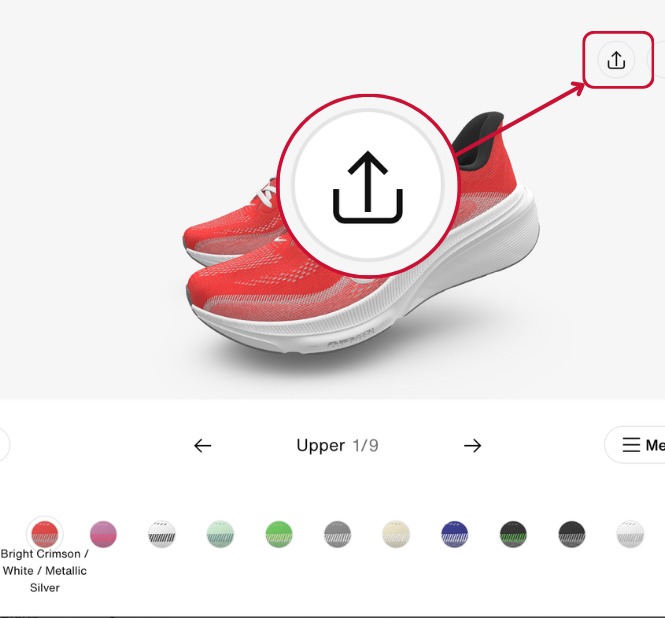
Step 5: Copy Your Design Link
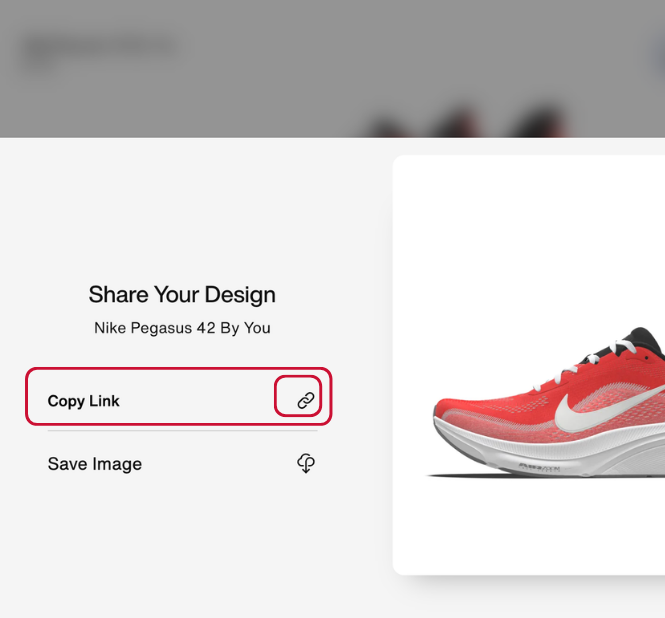
Step 6: Return to Our Gifting Website & Complete Your Order

STEP 2: Start Customizing

Complete the final steps below!
STEP 1: Click the "Customize" Button on the Nike Site

STEP 2: Start Customizing
Step 3: Share Your Design
Step 4: Copy Your Design Link
Click "Copy Link" to save your custom shoe design.
The link will be copied to your clipboard—be sure to paste and save it for your order!
Step 5: Return to Our Gifting Website & Complete Your Order
bottom of page